

At a glance
- Exterior angles
- 8: front, rear, both sides and all four corners
- Interior shots
- 5: dashboard, both front seats, back seats, cargo area
- Detail shots
- 8: odometer, wheels, lights, screen, features, engine, keys, wear
- Lead photo
- Front three-quarter, driver side
- Camera height
- Door-handle height for every exterior angle
On this page
- What angles should you shoot for a car listing?
- How to shoot the 8 exterior angles of a car
- What is the best angle for car photography?
- Which interior car photos should you take?
- What detail shots does a car listing need?
- How far back should you stand to photograph a car?
- How do you keep the angles the same on every car?
- Which car photo angles should you avoid on listings?
- Common questions
What angles should you shoot for a car listing?
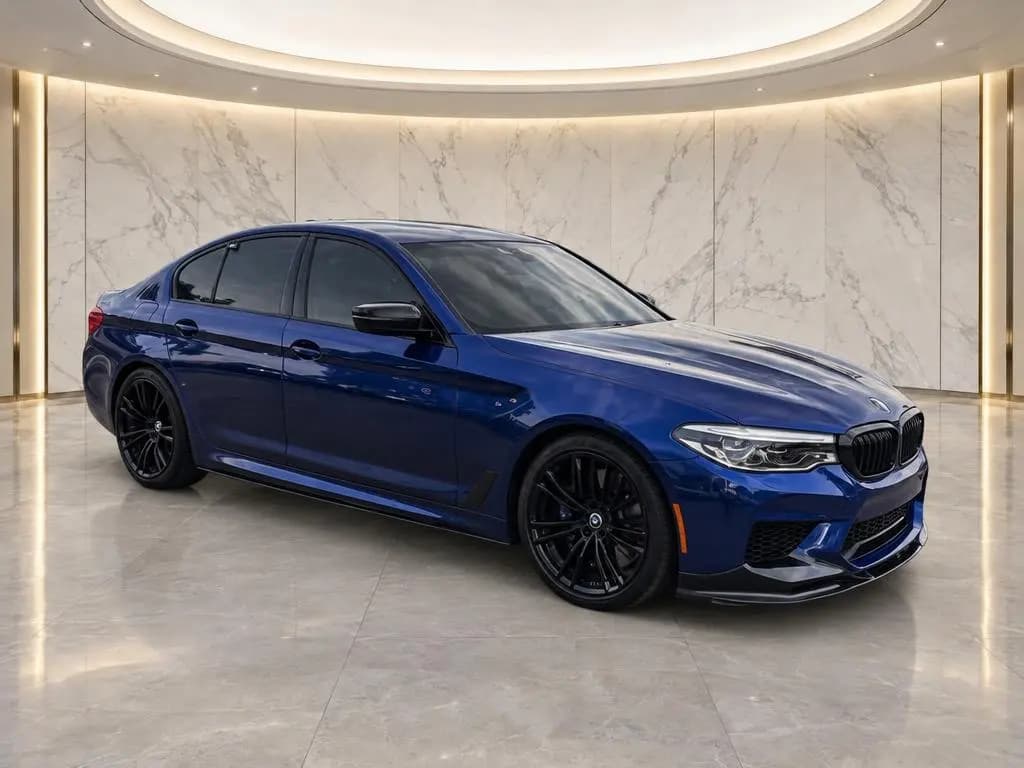
Shoot every car the same way: the 8 exterior angles in one loop around the car, then 5 interior shots, then the details. That's 21 shots, more if the car has extra features or wear to show, and it covers what a shopper would check on the lot. Lead the listing with the front three-quarter. It's the best angle for car photography because it shows the face and the side of the car in one frame.
The table is the full dealer shot list, in shooting order. Print it and keep a copy with the keys until your team knows it by heart.
| Order | Shot | Where to stand | What it shows |
|---|---|---|---|
| 1 | Front three-quarter, driver side | Driver-side front corner, about 45° off the nose | The lead photo: face and side in one frame |
| 2 | Driver side profile | Square to the middle of the driver side | Length, stance and every panel on that side |
| 3 | Rear three-quarter, driver side | Driver-side rear corner, about 45° off the tail | Rear styling, trim badge and wheels |
| 4 | Rear | Straight behind, centered on the plate | Taillights, bumper, badges and exhaust |
| 5 | Rear three-quarter, passenger side | Passenger-side rear corner | The other rear corner and quarter panel |
| 6 | Passenger side profile | Square to the middle of the passenger side | Damage here won't show from the driver side |
| 7 | Front three-quarter, passenger side | Passenger-side front corner | The other front corner, mirror and wheel |
| 8 | Front | Straight ahead, centered on the grille | Grille, headlights, bumper and windshield |
| 9 | Dashboard | Back seat, centered between the front seats | Dash, screen, steering wheel and console |
| 10 | Driver seat | Outside the open driver door | Seat, wheel, door panel and pedals |
| 11 | Front passenger seat | Outside the open passenger door | Seat, console and the passenger door panel |
| 12 | Back seats | Outside an open rear door | Legroom and seat condition |
| 13 | Cargo area | Behind the car, trunk or tailgate open | Usable space, floor and cargo cover |
| 14 | Odometer | Driver seat, engine running | Mileage and the gauge cluster |
| 15 | Wheels and tires | Crouched, square to each wheel | Wheel finish, tire brand and tread |
| 16 | Headlights and taillights | Close, at light height | Lens clarity and LED design |
| 17 | Center screen | Back seat or passenger seat, screen on | Infotainment, navigation or backup camera |
| 18 | Key features | Wherever the feature is | Sunroof, third row, tow hitch, premium audio |
| 19 | Engine bay | In front of the car, hood up | The engine and how clean it's kept |
| 20 | Keys | All keys together on a clean surface | How many keys come with the car |
| 21 | Wear and damage | Close, square to each spot | Scratches, dents, curb rash and stains |
Keep the shot list with the keys
All 21 shots on one page, with a box to tick for each.
How to shoot the 8 exterior angles of a car
Walk the car once, in this order, and you never backtrack: down the driver side, across the back, up the passenger side, and finish at the front. Keep the phone horizontal and at the same height for all eight.
Front three-quarter, driver side
Stand at the driver-side front corner, about 45° between the nose and the side, so you see the whole grille and the whole side. Turn the steering away from you, so the front wheel's face points toward the camera instead of its tread. Back up until the car fills about three quarters of the frame's width. This is your lead photo, so take two.

Driver side profile
Stand square to the middle of the car, in line with the gap between the front and rear doors. Straighten the wheels, hold the phone level with the door handles, and step back until both bumpers fit with room to spare. If the wheels look like ovals instead of circles, you aren't square yet.

Rear three-quarter, driver side
The same as the front corner, from the back: about 45° between the tail and the side. You should see the whole driver-side taillight and most of the rear bumper.

Rear
Stand straight behind the car, centered on the license plate. The two taillights should look the same size. If they don't, step sideways until they do.

Rear three-quarter, passenger side
Mirror shot 3 from the passenger side, at the same distance and height, so the two rear corners match in the listing.

Passenger side profile
Mirror shot 2: square to the middle, phone at door-handle height, both bumpers in the frame. Don't skip it. A scrape on this side won't show up anywhere else.

Front three-quarter, passenger side
Mirror shot 1. Turn the wheel the other way so this front wheel faces you too, or leave it straight if you'd rather not get back in the car.

Front
Finish straight in front of the car, centered on the grille or badge. Check that both headlights look the same size, then shoot.

What is the best angle for car photography?
For a listing, the front three-quarter from the driver side. In one frame it shows the grille, the headlights, the whole side, both wheels on that side and the roofline, so a shopper scrolling search results knows what the car is at a glance. Make it the first photo on every car.
Four rules make every angle look better:
- Shoot from door-handle height. From eye level you look down on the hood and roof, and the car looks smaller. Crouch too low and the nose looks huge. Door-handle height keeps the proportions true.
- Step back and zoom in. Standing close with a wide lens makes the nearest bumper look swollen. Use the 2x lens if you have room. The camera settings guide explains why.
- Keep the horizon level. A tilted car looks like it's parked on a hill.
- Leave margin around the car. Never crop a mirror, a bumper or the roof. A little space also protects the car if a site crops your photo to a different shape.
Which interior car photos should you take?
Interior photos answer what shoppers can't see from outside: condition, wear, room and features. Open the doors, start the car so the screen and gauges light up, and use the 1x lens. The ultra-wide fits more in, but it bends the dash and the door edges; if you need it in a small car, hold the phone level and keep the dash centered. Shoot in this order:
Dashboard from the back seat
Sit or kneel in the middle of the back seat and frame the whole dash, the center screen and the steering wheel. Straighten the wheel first so the logo is level.
Driver seat through the open door
Open the driver door all the way and stand just outside it. Fit the seat, the steering wheel, the door panel and the pedals in one frame. This is where wear shows first: the seat bolster, the wheel rim and the pedals.
Front passenger seat
The same shot through the passenger door. It shows the console and the condition of the passenger seat.
Back seats
Open a rear door and shoot across the seats, low enough to show the legroom. If the car has a third row, raise it and add a shot.
Cargo area
Open the trunk or tailgate and shoot straight in from behind. If the rear seats fold, add one with them down.
What detail shots does a car listing need?
Details turn a nice set of photos into a listing a shopper trusts. Get close, keep the detail in the middle of the frame, and tap it to focus.
- Odometer: start the engine so the gauges light up and the warning lights go out, then shoot the mileage straight on, without glare.
- Wheels and tires: crouch level with the center cap. Show each wheel if they differ, and the tread on at least one tire.
- Lights: headlights and taillights up close. Switch them on if the car has a signature LED design.
- Center screen: turn it on and show the home screen, the map or the backup camera.
- Key features: an open sunroof, a raised third row, the tow hitch, premium audio badges, anything that helps sell the car.
- Engine bay: hood up, shot from the front. A clean engine bay says the car was cared for.
- Keys: all of them, together. Shoppers want to know how many come with the car.
- Wear and damage: scratches, dents, curb rash, chips and stains. Showing them up front saves a wasted trip and the awkward phone call after it.
How far back should you stand to photograph a car?
Use the frame, not a tape measure: for the side and corner shots, the car should fill about three quarters of the frame's width, with clear space above the roof and below the tires. For a midsize sedan or SUV, that works out to roughly:
- About 30 feet back with a phone's 2x lens, or a 50mm lens on a full-frame camera. This gives the most natural proportions, so use it whenever the lot allows.
- About 15 feet back at 1x. Fine on a tight lot. Just don't walk in closer to fill the frame, and keep the phone level.
- Farther for pickups and vans, which can be several feet longer.
For height, hold the camera at the door handles for every exterior angle, about waist high on most cars. On a tall truck or van, raise it to the middle of the doors. Use the same height on every car so the set matches.
How do you keep the angles the same on every car?
Matching angles make your whole inventory look like one store, and they make cars easier to compare while a shopper scrolls. The fixes are simple:
- One shot list, one order, on every car. Use the table above.
- One photo spot. Mark where the wheels go and where you stand for each angle, with paint dots or tape.
- One lens and one height for every exterior angle.
- One lead photo: the front three-quarter, driver side.
Guided capture does the remembering for you. In CarShots, an on-screen outline shows where to stand for each exterior angle, so whoever has the phone frames the car the same way. Each photo comes back on a clean backdrop in about 20 seconds, and you can use the same backdrop on every car so your listings match. See how the capture app works.
Which car photo angles should you avoid on listings?
Some angles look great on social media and hurt a listing:
- Ultra-wide close-ups. At 0.5x from a few feet away, the nearest part of the car balloons.
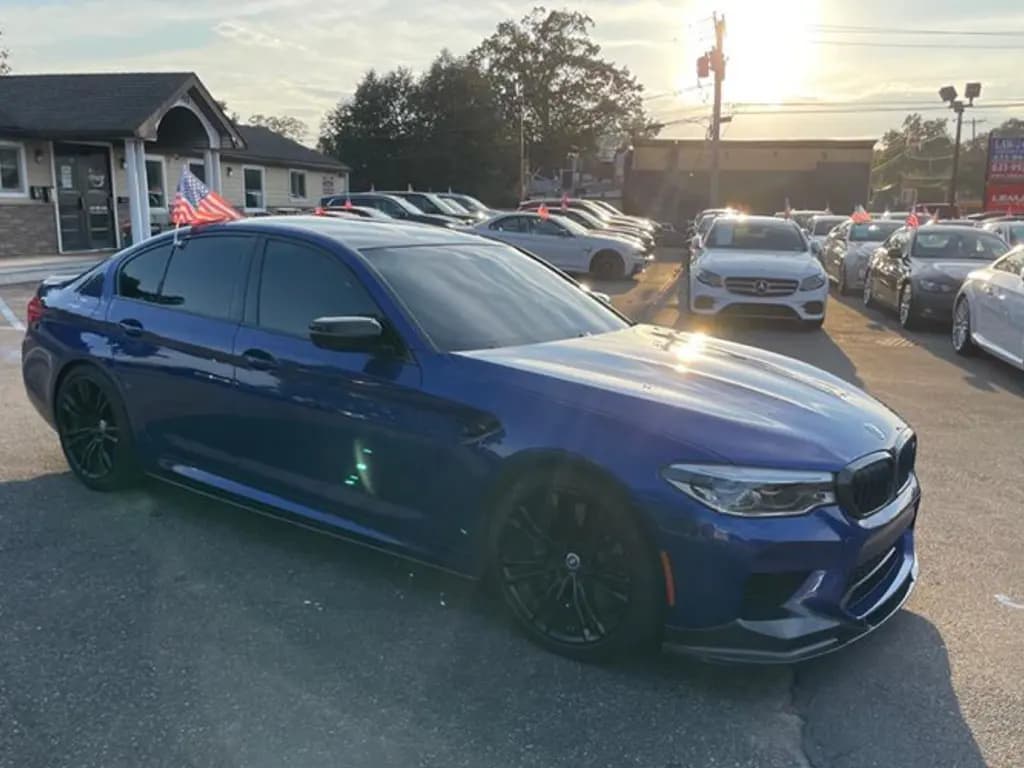
- High angles from eye level or above. They shrink the car and fill the frame with hood and roof.
- Dramatic low angles. They make the car look different from what's on the lot. Save them for ads.
- Other cars in the frame. A neighbor's bumper in the corner makes your listing look like a crowded lot.
- Tilted shots. On a listing, a Dutch angle just looks crooked.
For light, reflections and backgrounds, see the car photography tips.