At a glance
- Gear
- Your phone and a microfiber cloth
- Best light
- An overcast day, open shade, or the hour after sunrise or before sunset
- Lens
- 1x or 2x, not the 0.5x ultra-wide
- Camera height
- About headlight height for outside shots
- Shot list
- 12 core shots, plus close-ups of the tires and any damage
On this page
- How do you take pictures of a car to sell it?
- How to get your car ready for photos
- Where and when should you take pictures of a car?
- What are the best phone camera settings for car photos?
- The 12 photos buyers want to see
- Which close-ups help sell a car?
- What are the most common car photo mistakes?
- How should you edit car photos for a listing?
- Can you get studio-style car photos from a phone?
- Common questions
- Sources
How do you take pictures of a car to sell it?
Here's how to take car pictures for sale listings with just a phone: clean the car, park it somewhere plain in soft light, and walk around it holding the phone sideways at about headlight height. Shoot the same 12 angles in the same order, then add close-ups of anything a buyer will ask about.
The short version:
- Prep: wash the car, empty the interior, wipe your phone's lens.
- Place: an empty parking lot or a plain wall, with nothing behind the car.
- Light: an overcast day, open shade, or the hour after sunrise or before sunset. Not midday sun.
- Phone: the 1x or 2x lens, landscape orientation, grid lines on, no flash, no filters.
- Shots: six outside, five inside, and the engine bay.
- Honesty: show wear and damage up close. It saves you wasted showings.
How to get your car ready for photos
A little prep shows in every shot:
- Wash and dry it. Dry by hand so water spots don't show on the paint. Wipe the wheels and tires, and clean the glass inside and out.
- Empty it. Take out phone mounts, chargers, air fresheners, papers, seat covers and everything in the trunk. Buyers want to picture their own stuff in it.
- Set the interior: seats upright and in matching positions, steering wheel straight, floor mats square, visors up.
- Turn the front wheels slightly so the face of the wheel, not the tread, points toward the camera for the front three-quarter shot.
- Wipe your phone's lens. A smudged lens is the easiest cause of soft, hazy photos to rule out.
Where and when should you take pictures of a car?
Where: pick a spot with nothing behind the car. An empty corner of a parking lot, a quiet street with a plain building, or a park road all work. Avoid your driveway if it shows the garage, the trash cans or your house number. Keep other cars out of the frame, and leave yourself room to back up 20 to 30 feet.
When: soft light shows the car as it is, without glare.
- Overcast days are the easiest: even light, soft shadows, few reflections.
- Open shade, like the shadow side of a large building, works on sunny days.
- The hour after sunrise or before sunset gives warm, low light. Keep the sun behind you or to your side.
- Avoid midday sun. It casts hard shadows under the car and bright glare on the hood and roof.
- Skip night shots. Streetlights change how the paint color looks, and phones blur in low light.
Dark paint works like a mirror. Stand so trees and buildings don't reflect in the doors, and wear dark clothes so you don't show up in them either.
What are the best phone camera settings for car photos?
You don't need a camera or a special app. Set up your phone once:
Use the 1x or 2x lens
The 0.5x ultra-wide lens stretches the car: the nose looks huge and the sides bend. For outside shots, use 1x, or step back and use 2x or 3x if your phone has it. Don't zoom past your phone's built-in lenses.
Hold it sideways
Shoot in landscape, the shape most listing sites display. Leave a little space around the car so a site's crop doesn't cut off the bumpers.
Turn on grid lines
Find grid lines in your camera settings and use them to keep the horizon level and the car centered.
Tap to focus, then set the brightness
Tap the car to focus. If white or silver paint looks washed out, drag the brightness slider down a little before you shoot. Most phone cameras show one after you tap.
Turn off the extras
No flash, no filters and no portrait mode, which fakes a blurry background and can cut into the car's edges. Leave HDR on automatic.
Keep the originals
Upload the original files, not screenshots or copies sent through a messaging app, which can lose detail.
The 12 photos buyers want to see
Shoot them in this order and post them in this order. Keep the same distance and height for all six outside shots so the set looks consistent. Dealers shoot even more angles; our dealer shot list has the full set.
Front three-quarter, driver's side
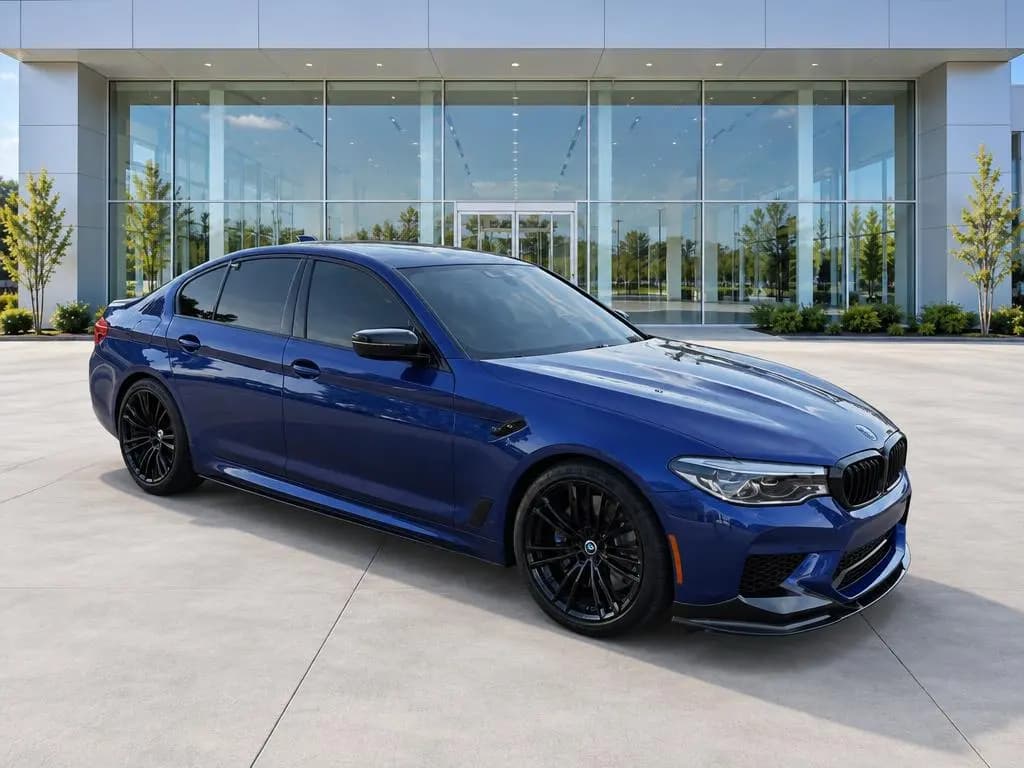
Stand off the front corner so you see the whole nose and the driver's side, with the front wheels turned toward you. Hold the phone at headlight height and let the car fill most of the frame. This is your cover photo.

Front, straight on
Center yourself on the badge and step back until the whole front fits with a little room on each side. Both headlights should look the same size.

Driver's side profile
Stand square to the middle of the car, level with the door handles. Both wheels should look round, not oval.

Rear three-quarter, passenger side
Mirror the cover shot from the back corner, with the tail and the passenger side in one frame.

Rear, straight on
Center on the rear badge, with the trunk or tailgate fully closed.

Passenger side profile
Use the same framing as the driver's side, so buyers can check both sides for dings and scratches.

Dashboard from the back seat
Sit in the middle of the back seat and shoot forward so both front seats, the steering wheel and the center screen show. Open the front doors for more light.
Gauges with the engine running
Start the car and shoot the instrument cluster so the mileage is readable and buyers can see that no warning lights are on. If one is on, say so in the listing.
Driver's seat
Shoot through the open driver's door. The driver's seat shows wear first, and buyers look for it.
Back seat
Shoot through an open rear door, showing the whole seat and the floor.
Trunk or cargo area
Open and empty. Fold the seats down too if the cargo space is a selling point.
Engine bay
Hood up, shot from the front at a slight angle. A wipe-down helps, but don't pressure-wash the engine.
Which close-ups help sell a car?
After the 12, add the details buyers will ask about anyway. Each one saves a message:
- Tires: a close-up of the tread, plus the sidewall if the tires are newer.
- Wheels: curb rash, or the lack of it.
- Damage: every dent, scratch, chip and stain. Take one wider shot that shows where it is, then a close-up that shows how bad it is.
- Keys: all of them in one shot.
- Features: sunroof, third row, tow hitch, upgraded audio.
- Records: a stack of service receipts, with your name and address covered.
If you're not sure which options your car came with, its original window sticker lists them, for brands that make one available.
What are the most common car photo mistakes?
| Mistake | Why it hurts | Fix |
|---|---|---|
| Shooting up close with the 0.5x lens | Distorts the car's shape | Step back and use 1x or 2x |
| Shooting in midday sun | Hard shadows and glare hide the paint | Wait for clouds, or move into shade |
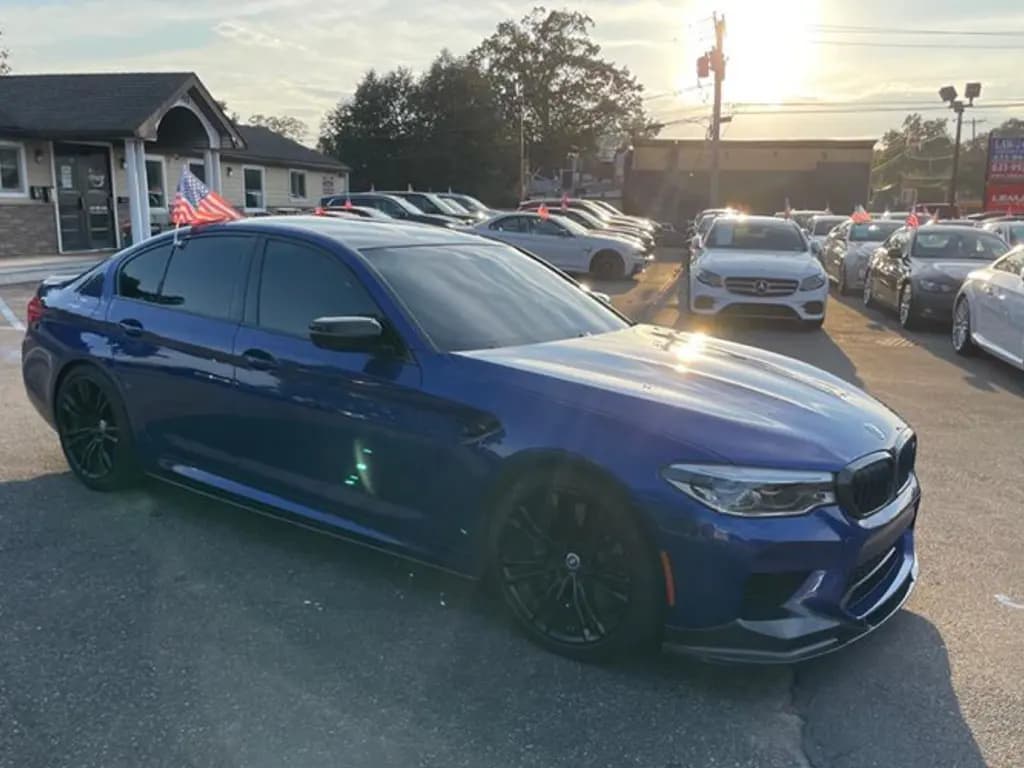
| A busy background | Buyers look at the clutter instead of the car | Move the car to a plain spot |
| Shooting from eye level, looking down | Makes the car look short and squat | Crouch to headlight height |
| A dirty lens | Hazy, soft photos | Wipe the lens before you start |
| Vertical photos | Sites crop them or add black bars | Hold the phone sideways |
| Your plate and house number in the shot | A public listing shows them to anyone | Blur the plate and shoot away from home |
| Only one or two photos | Buyers wonder what you're not showing | Post all 12, plus close-ups |
How should you edit car photos for a listing?
Keep edits light. A buyer who drives an hour and finds a different car than the photos showed will walk away.
- Crop and straighten so the car is level and centered.
- Adjust brightness a touch if a photo is dark. Don't push the color; the paint should match real life.
- Hide your plate if you'd rather not post it. Our free license plate blur tool blurs plates in uploaded photos, no account needed. Here's why sellers blur license plates.
- Never edit out damage. Cleaning up a cluttered background is fine. Changing the car isn't.
Post the photos in shot-list order, starting with the front three-quarter view. Then write the listing and choose where to post it: our guides on how to sell a car and selling a car on Facebook Marketplace cover both.
Can you get studio-style car photos from a phone?
Yes. If you can't find a clean spot to shoot, CarShots puts your phone photos on a clean studio backdrop in about 20 seconds each, and you can ask for edits in plain words, like "hide the license plate" or "make it a little brighter". Try it free on a photo of your own car, no signup needed.