
Chrome extension
Turn any car listing into studio photos
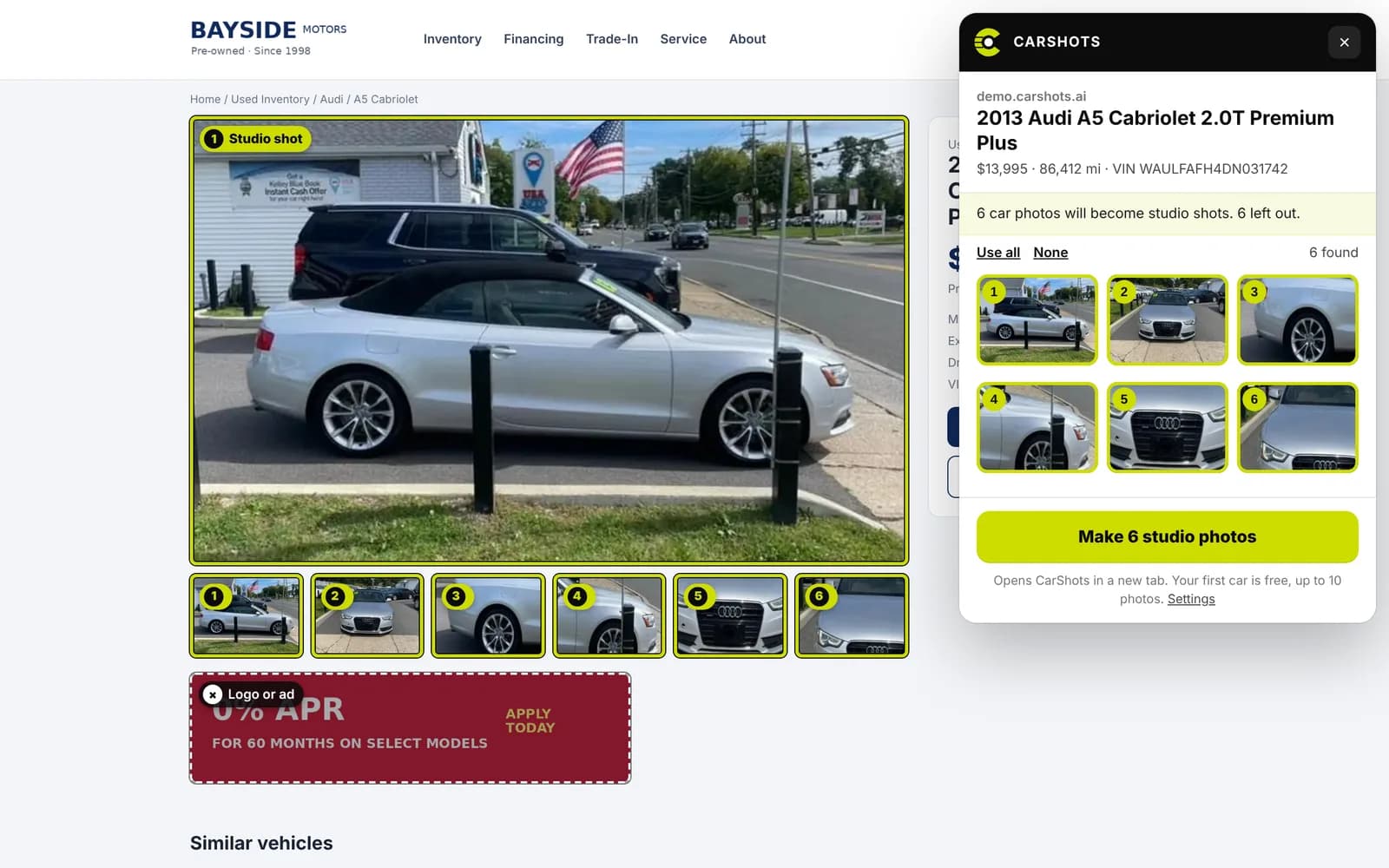
On any car listing, click the CarShots button. It finds the car’s photos, leaves out logos, ads and other cars, and turns them into studio photos in a click.
Free to install. Your first car is free, up to 10 photos, no card needed.
How it works
Three clicks from a listing to studio photos.
- 1
Open a car listing
Your own website, a listing site, or any page with one car for sale on it.
- 2
Click the CarShots button
It finds every photo of the car, reads the year, make, model, price, miles and VIN, and outlines the photos it will make.
- 3
Make studio photos
The car opens in CarShots with its photos and starts the shoot. Each studio photo takes about 20 seconds.
Only the car’s photos
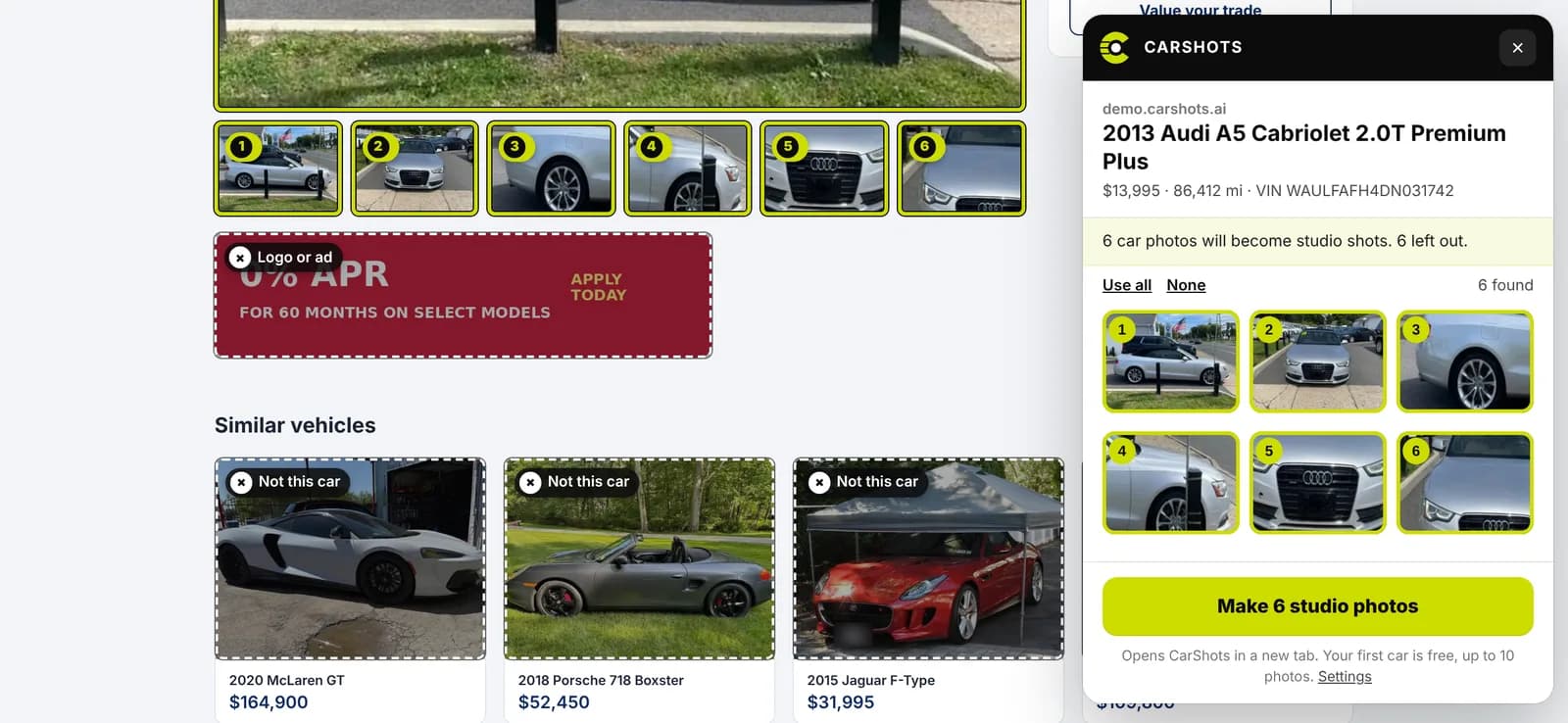
Listing pages are full of pictures that aren’t the car. The extension sorts them out before anything is made.
Every photo of the car
Including the ones a gallery loads only when you scroll or swipe, each at its largest size, once.
Nothing that isn’t the car
Dealer logos, finance banners, badges and the “similar vehicles” strip are left out.
Checked photo by photo
CarShots looks at each photo and drops the ones that show another car or no car at all.
The car’s details
Year, make, model, trim, price, miles, stock number and VIN, so the car is set up for you. One car per VIN, never a double.
From the lot to the showroom
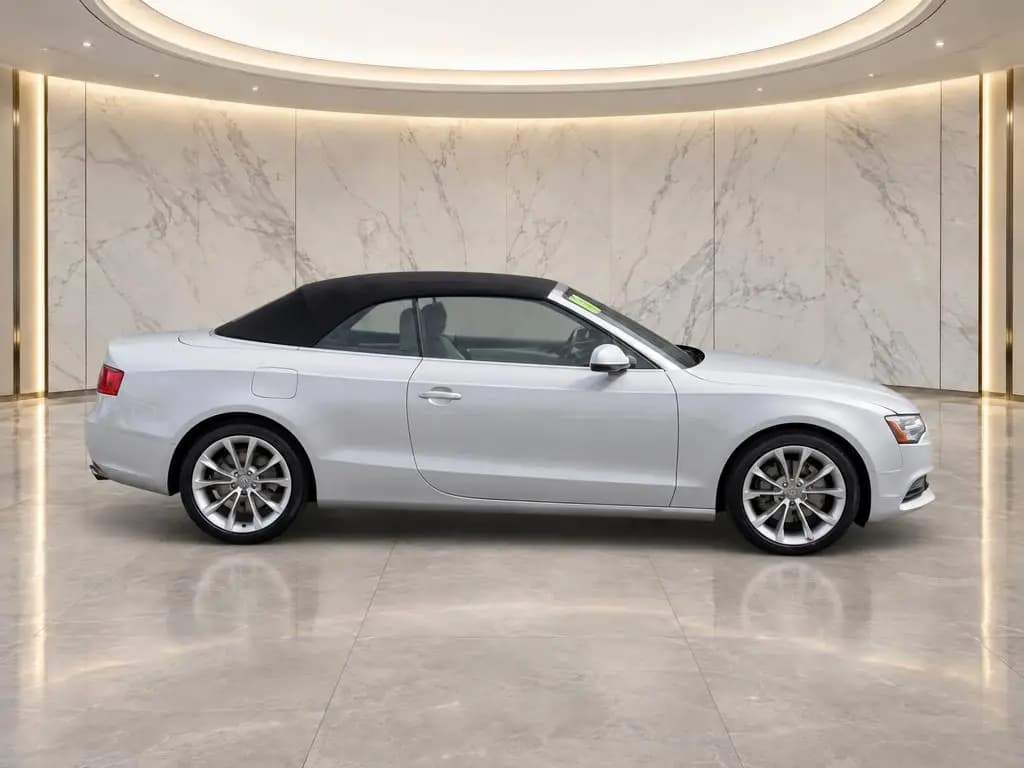
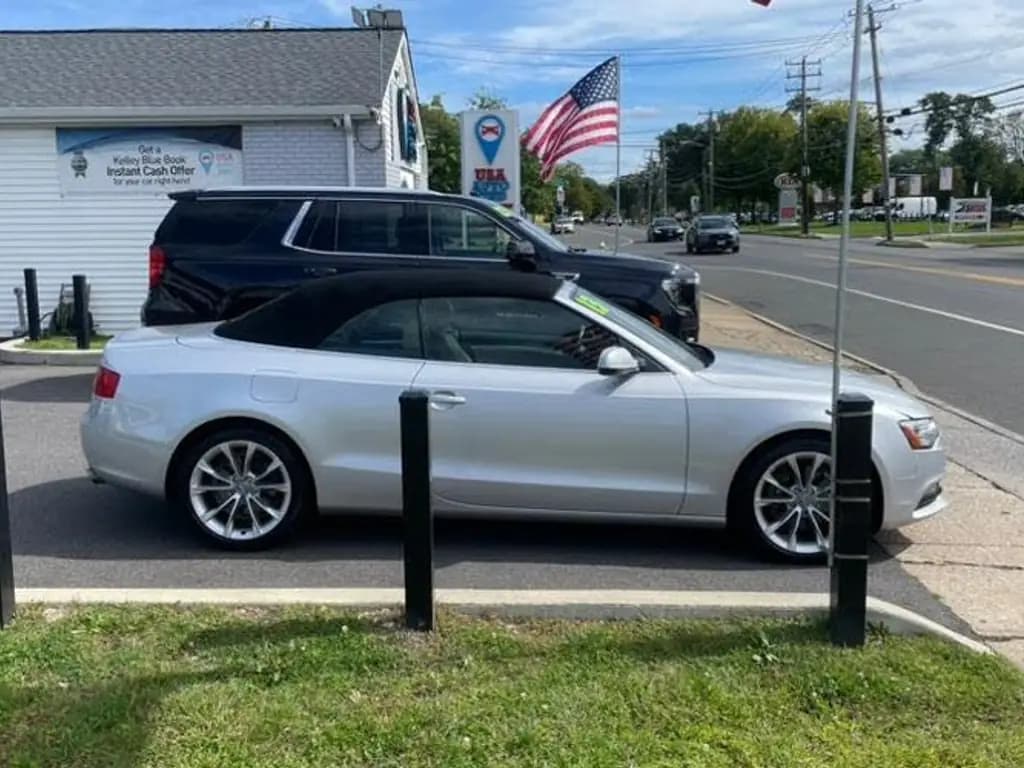
The car’s listing photos come back on a clean studio, showroom or scenic backdrop, about 20 seconds each. Use the same one on every car and your listings match.
Works on
- Dealer websites, including sites built on Dealer.com, DealerOn and Dealer Inspire
- Listing sites such as Autotrader
- Most pages with one car for sale and a photo gallery
It reads a page only when you ask
The extension does nothing until you click the CarShots button on a listing. Then it reads that one page and sends CarShots the listing's address, the car's details and its photo addresses. It never reads other tabs, keeps no browsing history and never sells data. If you like, you can turn on a setting that shows the button on listings by itself; it still sends nothing until you click. Read the extension's privacy policy.
Questions about the extension
Is the CarShots Chrome extension free?
Yes. The extension is free to install. Making studio photos uses your CarShots photos, and your first car is free, up to 10 photos, with no card needed.
Which websites does it work on?
Most car listing pages: dealer websites (including sites built on Dealer.com, DealerOn and Dealer Inspire) and listing sites such as Autotrader. If a page has one car for sale and a photo gallery, it should find the photos.
Does it change my website or my listing?
No. It only reads the page you are on. The studio photos are made in your CarShots account, and you choose where they go from there.
How does it know which photos are the car?
The extension leaves out logos, icons, banners and pictures of other cars on the page. Then CarShots looks at each remaining photo and keeps the ones that show this car, inside and out.
What does it send to CarShots?
Nothing until you click the CarShots button on a listing. Then it sends that page’s address, the car’s details and the addresses of its photos, so CarShots can check them and bring the car in. It never reads other tabs or your browsing history.
Can I use it on photos I don’t own?
Use it on your own inventory, or on photos you have the right to use. Bringing in another dealer’s photos doesn’t give you the right to publish them.
Does it work in Edge or Brave?
Yes. Microsoft Edge, Brave and other browsers built on Chromium install extensions from the Chrome Web Store.
Studio-quality photos of every car, from your phone
Your first car is free, up to 10 photos, with no card. When you want more, the 7-day trial includes 20 photos and a 360° video.