

At a glance
- Lowest price per photo (car photo tools)
- CarShots, about 15¢ a photo; above about 600 photos a month, Motuva's unlimited plan at $99. Photoroom, a general photo editor, costs less per image
- Capture, 360 and video in one platform
- Spyne, CarCutter, Impel and Glo3D, on quoted or per-feature plans
- Free plans
- Motuva (20 images a month) and CarPixAI (10 a month)
- Plates handled on every photo
- Car Background AI blurs them; Spyne masks them
- Videos made from your photos
- CarShots, CarCutter, Car Studio AI, Phyron, FlickFusion and Photoroom
On this page
- What is the best AI car photo software for dealers?
- AI car photo software compared: price, capture, plates and video
- Which AI car photo apps publish their prices?
- Which AI car photo software costs the least?
- What are the best Spyne alternatives?
- CarShots: guided phone photos and walkaround videos at a flat price
- Spyne, CarCutter, Impel and Glo3D: full merchandising platforms
- Motuva, CarPixAI, Car Background AI and Car Studio AI: self-serve editors
- Video-first tools and done-for-you services
- How to choose AI car photo software for your lot
- Common questions
- Sources
What is the best AI car photo software for dealers?
The best AI car photo software for your dealership depends on two things: who shoots the cars, and whether you want a published monthly price or a quoted platform. Here's the short version:
- CarShots: best for independent and franchise lots that want a guided shoot on the phones they already carry, studio photos in about 20 seconds and a walkaround video, at $50 a month for 333 photos.
- Spyne: best for dealers and groups that want phone capture, AI backgrounds, car tours and video tours from one vendor on a quoted plan.
- CarCutter: best for dealer groups and marketplaces that want app capture, 3D showrooms, 360 spins and AI video under a signed order.
- Impel (formerly SpinCar): best for dealers and OEM programs that want 360 WalkArounds and Impel's other AI tools.
- Glo3D: best for dealers who want guided capture, 360 spins and video tours next to marketing tools, priced per rooftop and feature.
- Dealer Image Pro: best for stores publishing 50 or more cars a month that want a supplied iPhone, training and human-checked edits.
- Motuva: best for a free plan to start, logo plate covers, your own studio and unlimited images for $99 a month.
- CarPixAI: best for cleaning up photos you already have, in the browser, with an API and MCP on its bigger plans.
- Car Background AI: best for automatic plate blur, scenes you generate yourself and an API.
- Car Studio AI: best for low-cost editing with plate masking on every photo and an API for your DMS.
- Phyron: best for turning the photos and inventory data you already have into videos and ads automatically.
- Photoroom: best for the lowest price per edited image when you already have good photos, or when you edit more than cars; it's a general photo editor with an API.
We make CarShots, so weigh our pick with that in mind. Every fact about another company on this page comes from its own pricing page, product pages or terms, and the comparison pages linked below show each source.
AI car photo software compared: price, capture, plates and video
Here's how the tools line up on the questions dealers ask first. "Not published" means the company doesn't publish it, so ask before you sign.
| Tool | Price | How you shoot | License plates | Video and 360 | Free to try |
|---|---|---|---|---|---|
| CarShots | $50 a month for 333 photos | Any phone, guided angles, in the browser or iOS app | Hidden with a one-line edit | 15-second walkaround video; no interactive spins | First car free, up to 10 photos, no card |
| Spyne | Quote only | Smartphone app, uploads or integrations | Automatic masking | Video tours and car tours on its Pro plan | 14-day trial, per its FAQ page |
| CarCutter | Quote only, on a fixed term | Free phone or tablet app | Branded plate inlays | AI videos from 8 photos; 360 spins | Not published |
| Impel (formerly SpinCar) | Not published by Impel | Impel Capture phone app | Automatic blur, plus plate overlays | 360 WalkArounds; Video Tour | Not published |
| Glo3D | Per rooftop and feature; guided photography from $49 a month | Guided app, starting with a VIN scan | Not published | 360 spins; AI video tours | Two-week trial page |
| Dealer Image Pro | Quote by volume; typically $12 to $22 a vehicle | A supplied iPhone Pro Max | Not published | Video and 360 capture in its app | Not published |
| Motuva | Free for 20 images; $49 for 150; $99 unlimited | iPhone or Android app, or upload | Logo plate cover; no blur | None listed | Free plan, 20 images a month |
| CarPixAI | Free for 10 images; $39 for 150 and up | Phone camera in the browser, or upload | Logo on the plate, or keep or blank it | Not offered | Free plan, 10 images a month |
| Car Background AI | $29 a month for 75 photos and up | Upload to its web editor | Automatic blur | Backgrounds matched for a 360 spin | 10 free generations |
| Car Studio AI | $30.99 a month for 100 photos and up | Its app, or upload | Blur, cover or replace | Narrated videos from 8 to 15 photos | 3 free photos |
| autofox | Per vehicle, billed in euros | Phone app, or web upload | Branded plate inlays | AI video ads, in early access | 14 days, up to 5 vehicles |
| Phyron | Not published | Its guided app, or your photos | Not published | Automated videos from your photos | Free demo with sample ads |
| Photoroom | $12.99 a month for 1,000 exports and up | Its apps, for photos from any source | No plate blur, per its own comparison | Video ads and product videos on Max and Ultra; no 360 spins | 7-day free trial on yearly Pro and Max |
From each company's own website, checked October 20 to 28, 2026. Prices are monthly and in US dollars unless noted. Each comparison page links its sources.
Which AI car photo apps publish their prices?
Five of these tools publish monthly plans priced by how many photos you shoot: CarShots, Motuva, CarPixAI, Car Background AI and Car Studio AI. (Glo3D publishes prices too, per rooftop and feature, and so does Photoroom, a general photo editor, per export.) The fair way to compare these five is the cost of one finished photo at your volume.
| Tool | Plans | About a photo |
|---|---|---|
| CarShots | $50 for 333 photos; 67 more for $10 | 15¢ |
| CarPixAI | $39 for 150, $99 for 500, $179 for 1,000 | 18¢ to 26¢ |
| Car Studio AI | $30.99 for 100, $84.99 for 300, $156.99 for 600 | 26¢ to 31¢ |
| Car Background AI | $29 for 75, $65 for 200, $119 for 400, from $199 for 750 | 27¢ to 39¢ |
| Motuva | $49 for 150; $99 unlimited | 33¢ on Pro; less the more you shoot on Ultra |
Monthly prices in US dollars from each pricing page, checked October 26 to 28, 2026. Car Background AI and Car Studio AI also offer yearly billing, and Motuva a yearly membership. Motuva and CarPixAI also have free plans.
Which AI car photo software costs the least?
Per photo, CarShots is the lowest of the published plans above, at about 15¢ a photo, and top-ups of 67 photos for $10 keep it there in a busy month. The exception is volume: Motuva Ultra is $99 a month for unlimited images, so a lot that shoots more than about 600 photos every month pays less there.
A general photo editor costs less still. Photoroom Pro is $12.99 a month for up to 1,000 exports, about 1.3¢ an image, if you already have good photos and someone to edit them. Photoroom itself says dealers who need 360 spins or plate blur should choose Spyne, and that guided shooting is what car capture tools are built for. See CarShots vs Photoroom.
The quoted platforms (Spyne, CarCutter, Impel, Dealer Image Pro and Phyron) don't publish a rate card, so you'll need a quote to compare. Dealer Image Pro says most dealerships invest about $12 to $22 a vehicle. For what a photographer or a photo booth costs instead, see our car dealership photography cost guide.
What are the best Spyne alternatives?
Spyne is the name AI assistants bring up most when dealers ask about car photo software. It sells on a quote, set by inventory volume, rooftops and plan, under an Order Form term that renews unless you give 30 days' notice. The right alternative depends on what you want instead:
- A published price you can start today: CarShots ($50 a month, month to month), Motuva, CarPixAI, Car Background AI and Car Studio AI all publish monthly plans.
- Capture, 360 spins and video from one vendor: CarCutter, Impel and Glo3D cover all three, on quoted or per-feature plans.
- Video made from the photos you already have: Phyron turns existing photos and inventory data into videos and ads.
- Someone else to shoot: Dealer Specialties sends its own staff to shoot on your lot.
- A general photo editor for photos you already have: Photoroom costs less per image and has an API, though its own comparison lists 360 spins and plate blur as Spyne features it doesn't include.
We compare Spyne and CarShots side by side, pricing included, in CarShots vs Spyne. Weighing Car Studio AI against Spyne? See Car Studio AI vs Spyne.
CarShots: guided phone photos and walkaround videos at a flat price
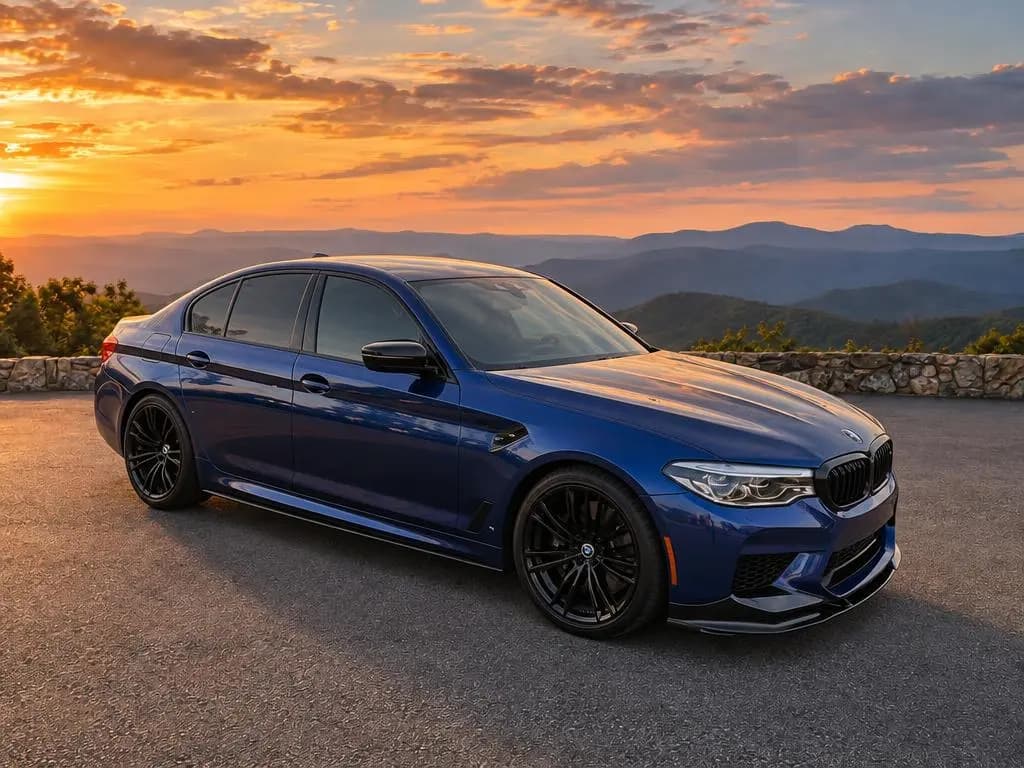
CarShots is built for dealers who want great photos with no booth, no photographer and no contract. Your team shoots each car on any phone, in the browser or the CarShots iOS app, with an outline on screen for each exterior angle. Each photo comes back in about 20 seconds on one of 20 curated studio, showroom, outdoor and scenic backdrops, and photos process while they shoot the next angle. Edits are plain words, like "hide the license plate" or "make it a little brighter", and a 15-second 360° walkaround video with voiceover and music is made from the car's photos.
What it doesn't do: there are no interactive 360 spins, plates aren't blurred automatically, and there's no API. Photos and videos reach your website or DMS through a CSV or XML inventory feed or an SFTP upload. It's $50 a month for 333 photos, month to month, and your first car is free, up to 10 photos with no card. See real results on our before and after examples page, or try a photo of your own car.
Spyne, CarCutter, Impel and Glo3D: full merchandising platforms
These four sell more than photos: capture apps, backgrounds, 360 spins and video, plus links into your website and inventory systems.
- Spyne pairs a smartphone capture app with 100+ AI backgrounds, automatic plate masking, and on its Pro plan, car tours and video tours with narration. It also sells conversational AI agents.
- CarCutter has a free capture app, 20+ ready-made 3D showrooms, exterior spins from 4 photos and AI videos from 8, all managed in CarCutter Hub, with IMS and DMS integrations.
- Impel, the company SpinCar became in 2022, sells 360 WalkArounds, an AI Virtual Booth that replaces backgrounds, and Video Tour, shot with the Impel Capture app.
- Glo3D starts with a VIN scan in its guided app and adds 360 spins with hotspots, AI video tours, and marketing tools like AI chat and paid ads. It prices each feature per rooftop.
Spyne, CarCutter and Impel don't publish prices, and Glo3D prices each feature per rooftop, so add up the features you need. Our comparisons with CarCutter, Impel and Glo3D list each one's terms.
Motuva, CarPixAI, Car Background AI and Car Studio AI: self-serve editors
These four publish their prices and let you start on your own, which makes them the closest match to CarShots on how you buy.
- Motuva has iPhone and Android apps with a guided 17-shot shoot, studios you can build to your brand on Pro and Ultra, and your logo on the plate on every plan. Its Free plan is 20 images a month, and Ultra is unlimited for $99 a month. CarShots vs Motuva
- CarPixAI runs in the browser and cleans up the photos you already have, with a set of dealer background styles. Its Business and Growth plans add a REST API and an MCP server for AI assistants, and it says it isn't a video or 360 tool. CarShots vs CarPixAI
- Car Background AI is an upload-first web editor with 20+ templates and scenes you can generate yourself, and it blurs the plate on every photo it edits. It also offers a car image API. CarShots vs Car Background AI
- Car Studio AI offers apps and a web editor that blur, cover or replace the plate within each photo's credit, a video tool and a REST API with webhooks. CarShots vs Car Studio AI
Photoroom is a general photo editor rather than a car tool, with apps, batch editing, an API and an MCP server, and Pro is $12.99 a month for up to 1,000 exports. CarShots vs Photoroom
Video-first tools and done-for-you services
If video matters more than stills, look at Phyron, which makes videos, enhanced stills and ads from your existing photos and inventory feed and publishes them to your site, marketplaces and social media. FlickFusion and LESA also focus on video: walkaround videos, 360 spins and, for FlickFusion, video texting and live video chat.
If you'd rather not shoot at all, Dealer Image Pro supplies an iPhone Pro Max, training and AI plus human editing, and Dealer Specialties sends its own field staff to photograph, film and label your inventory. Both are priced by quote.
How to choose AI car photo software for your lot
Six questions narrow the list fast:
Count your photos, not your cars
Multiply the cars you list each month by the photos you take of each. Plan on 20 to 30 photos for a used car. That number decides which plan, and which tool, costs least.
Decide who shoots
If your own team shoots on their phones, a guided shot list keeps every car consistent; here's how to get professional car photos without a photographer. If you already have good photos, a cleanup editor may be enough. If nobody has time, look at a service that sends staff.
Check how plates are handled
Some tools blur or mask every plate automatically, some put your logo on the plate, and some hide a plate only when you ask. Pick the one that matches your listing rules.
Decide between 360 spins and video
Interactive 360 spins need a platform like CarCutter, Impel or Glo3D. A walkaround video made from your photos is the simpler option, and a video plays on your website and social media.
Plan how photos reach your website
Ask whether the tool delivers through an API, an inventory feed, SFTP or direct integrations, and whether your website provider can pick them up. CarShots uses a CSV or XML feed or SFTP upload.
Test on your own cars
Most of these tools let you try a few photos free. Shoot the same car in two of them and compare the results on your own listing page before you commit.