

At a glance
- Easiest way
- Shoot on a phone and use an AI car photo app, with one backdrop picked for every car
- Without software
- Shoot every car in the same spot, facing the same way, at the same time of day
- Most expensive
- A photo booth or studio: $30,000 to $68,700 to install, in 2018 quotes
- CarShots
- 20 curated backdrops: pick one and use it on every car
On this page
- How do you get the same background on all your dealership car photos?
- What software puts car photos on a clean background?
- How to put every car on the same background with CarShots
- Which background is best for dealership car photos?
- What else makes car photos look consistent?
- Is it OK to change the background on car listing photos?
- Common questions
- Sources
How do you get the same background on all your dealership car photos?
There are three ways, and they differ in cost and in how much your lot has to cooperate:
- One spot on your lot. Shoot every car in the same place, facing the same way, at the same time of day. It costs nothing, but the weather, the light and the cars parked nearby change from day to day.
- A photo booth or studio. Every car gets the same walls, floor and light. It's the most controlled option and the most expensive: dealers reported about $30,000 for a booth and $68,700 for an installed turnkey studio in 2018, plus monthly fees.
- Software that replaces the background. Shoot anywhere on the lot, then put every car on the same studio, showroom or outdoor backdrop. With an AI car photo app like CarShots, you choose one backdrop and use it on every car.
For most dealers the third way is the practical one, because the background stops depending on where the car is parked or what the weather does.
What software puts car photos on a clean background?
These tools replace the background on dealer car photos. Prices are from each company's own website, checked in October 2026:
- CarShots: shoot on any phone with an outline for each exterior angle, and each photo comes back in about 20 seconds on one of 20 curated studio, showroom, outdoor and scenic backdrops. $50 a month for 333 photos.
- Spyne: a smartphone capture app with 100+ backgrounds, or your own, on a quoted plan.
- Car Background AI: an upload-first web editor with 20+ templates and scenes you generate yourself, from $29 a month for 75 photos. It blurs the plate on every photo.
- Car Studio AI: apps and a web editor with indoor, outdoor and showroom backgrounds, from $30.99 a month for 100 photos, with your own background uploads on its $84.99 Pro plan.
- Motuva: iPhone and Android apps with ready-made studios, a free plan of 20 images a month, and your own studio on its paid plans.
- CarPixAI: a browser tool that cleans up the photos you already have with a set of dealer backgrounds, free for 10 images a month.
- Photoroom: a general photo editor rather than a car tool, from $12.99 a month for up to 1,000 exports.
We make CarShots, so weigh our pick with that in mind. Our AI car photo software guide compares these tools on price, plates, video and free trials, with a source for every fact.
How to put every car on the same background with CarShots
Pick the look once, then repeat it on every car:
Pick your backdrop
Browse the 20 backdrops on the car backgrounds page and choose the one that fits your store: a white or gray studio for a clean catalog look, a showroom, or an outdoor scene.
Shoot the car on a phone
Walk the car in the CarShots iOS app or in the browser, following the outline on screen for each exterior angle.
Make the photos on that backdrop
Choose the backdrop on the car's page and make its photos. Each one comes back in about 20 seconds.
Choose the same one on the next car
Use the same backdrop on every car, and your whole inventory matches on your website and listings.
Want your own showroom instead?
For your own showroom or a branded background, email CarShots.
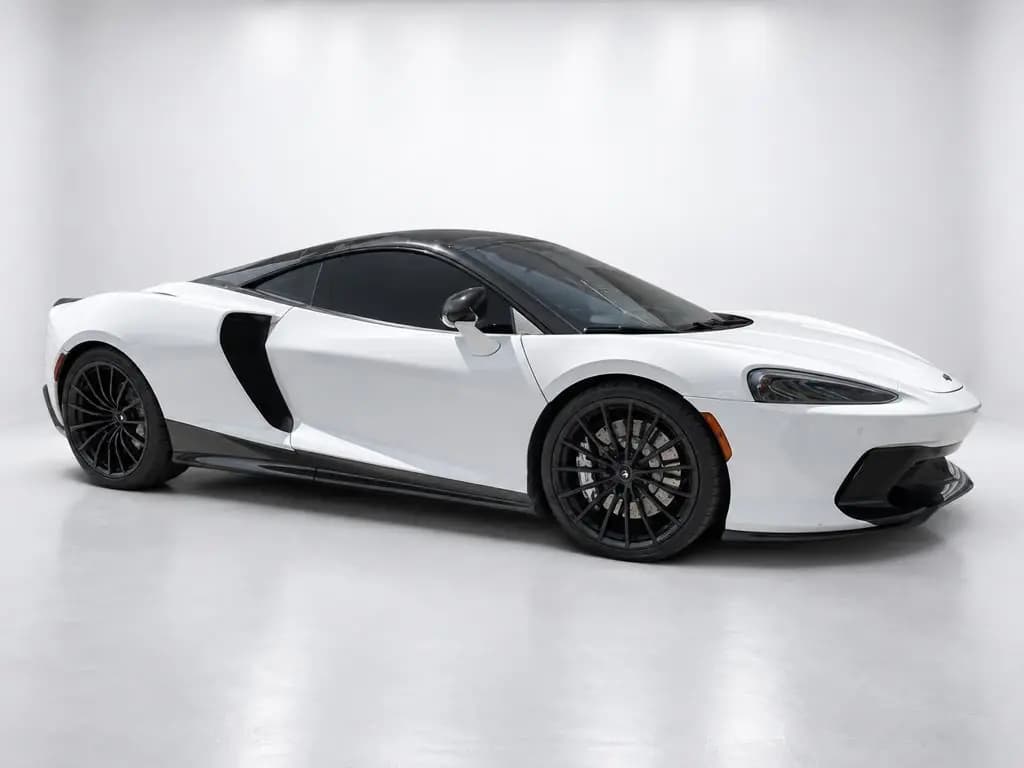
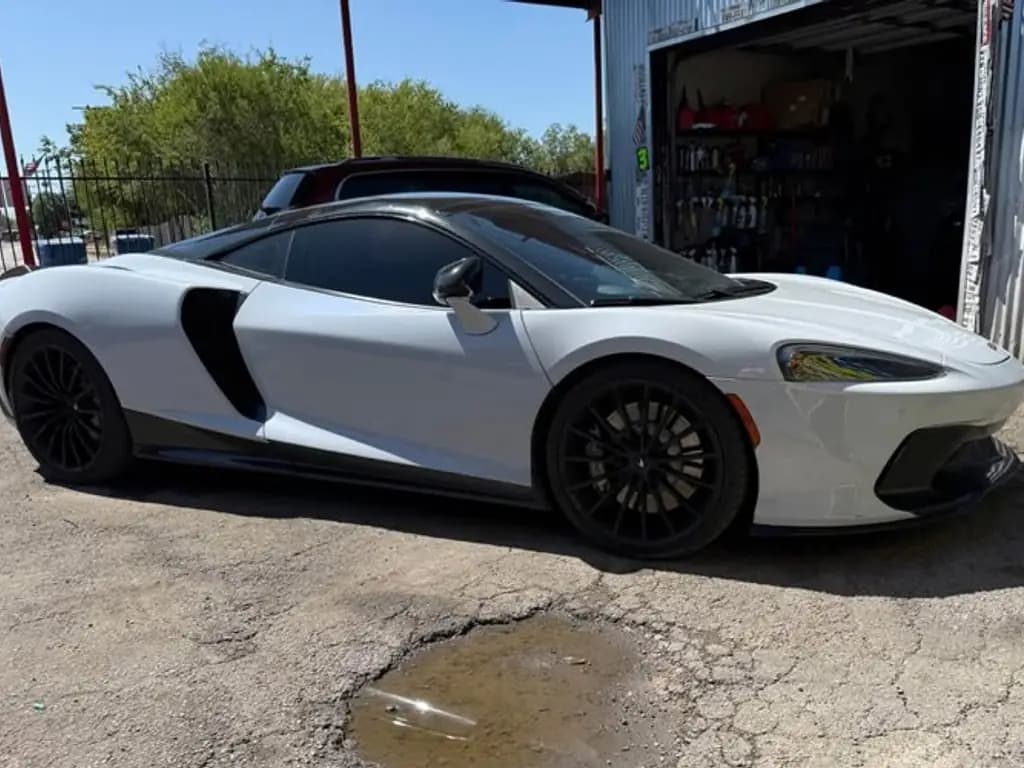
Which background is best for dealership car photos?
Pick one that shows off the car, not the scenery, and that works for every car you sell:
- A white or light gray studio: the cleanest catalog look. Gray keeps white and silver cars from blending into the background.
- A showroom: puts the car indoors at a dealership, which suits retail listings.
- An outdoor scene: fits trucks, SUVs and convertibles in ads and social posts, but a different scene on every car breaks the matching look.
Whatever you pick, use it on every car in the same place, like your website or your Marketplace listings. Our car photography tips cover backgrounds for different paint colors.
What else makes car photos look consistent?
The background is the biggest piece, but shoppers also notice when the angles, the framing and the light change from car to car:
- Same angles, same order: use one shot list on every car. The car photography angles guide has ours.
- Same height and lens: the main 1x or 2x lens at about headlight height, never the ultra-wide.
- Same framing: the car fills most of the frame, with a little space on every side.
- Same photo count: 20 to 30 photos a car, so no listing looks thin.
- Same first photo: lead every listing with the same angle, usually the front three-quarter.
Is it OK to change the background on car listing photos?
Replacing the background is a standard part of dealer car photography: the booths, studios and AI tools on this page all do it. What matters is the car itself. Never hide scratches, dents, rust or wear, show the real interior, and keep a clear photo of any damage. Check each listing site's own photo rules too, and see real phone photos next to finished ones on our before and after examples page.